Introduction
Streaming prices keep climbing. Netflix, Disney+, and Max all raised their rates in the last two years, and a single household can easily spend over $60 a month just to watch movies. So it’s no surprise that millions of viewers search for free alternatives, and, names like Movierulz APK pop up fast.
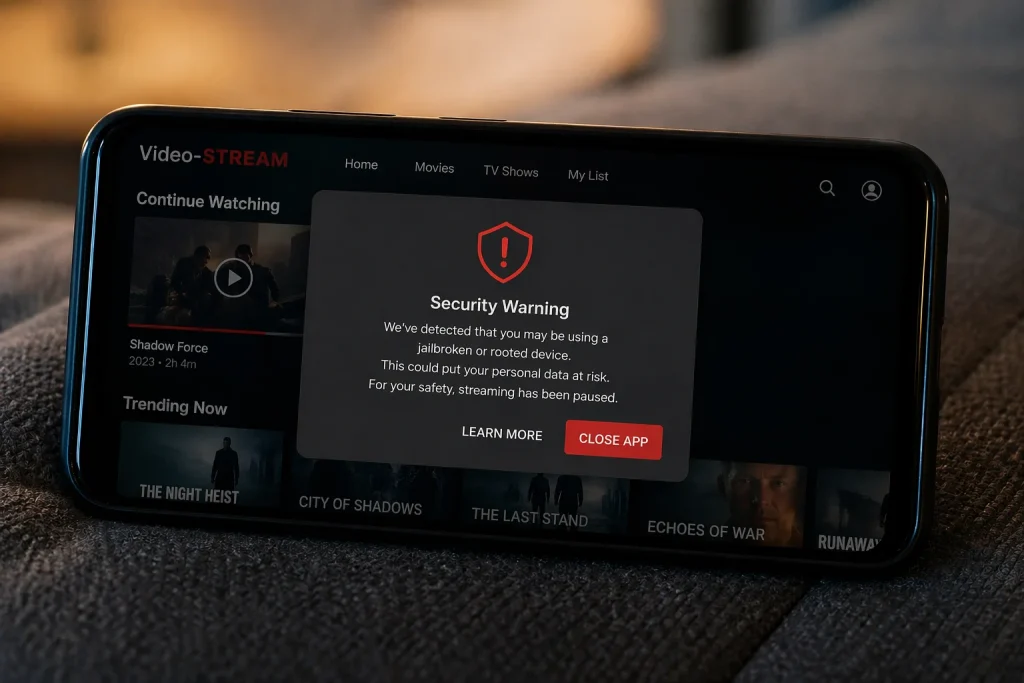
But here’s the catch: “free” rarely means free. Downloading unofficial apps for pirated movies often costs you something far more valuable than a subscription: Your device security, your personal data, and potentially your legal standing.
This guide gives you a straightforward, no-spin breakdown. You’ll learn exactly what the Movierulz APK is, whether it’s safe on Android or iPhone, what the law actually says, and most importantly — which legal, free streaming platforms can replace it without putting your phone or privacy at risk.
What Exactly Is the Movierulz APK?
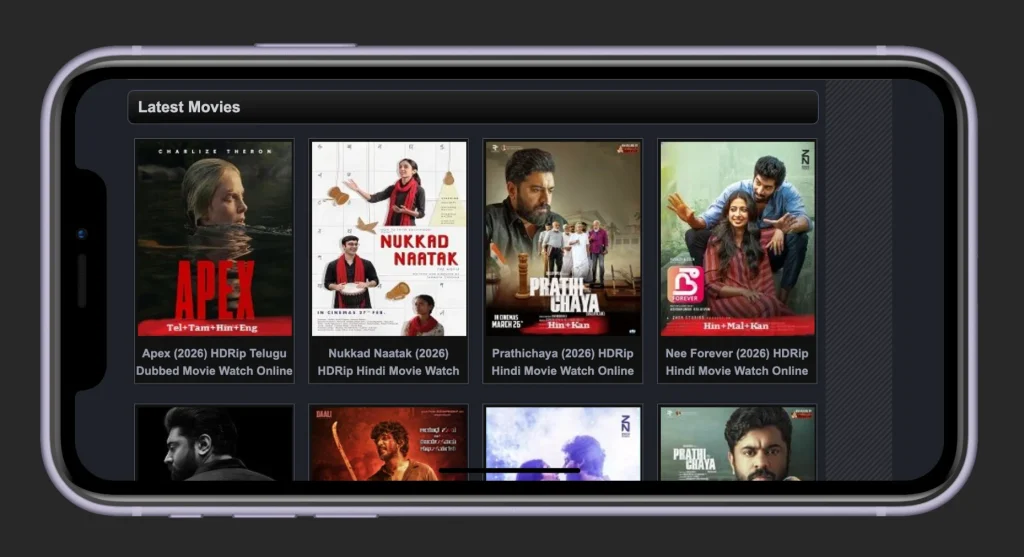
Movierulz is a well-known piracy website that hosts pirated copies of Bollywood, Hollywood, Tamil, and Telugu films. Because it distributes copyrighted content without permission, it can’t operate like a normal business. Its domains get taken down constantly, and it reappears under new addresses (movierulz.plz, movierulz.ms, and dozens more).
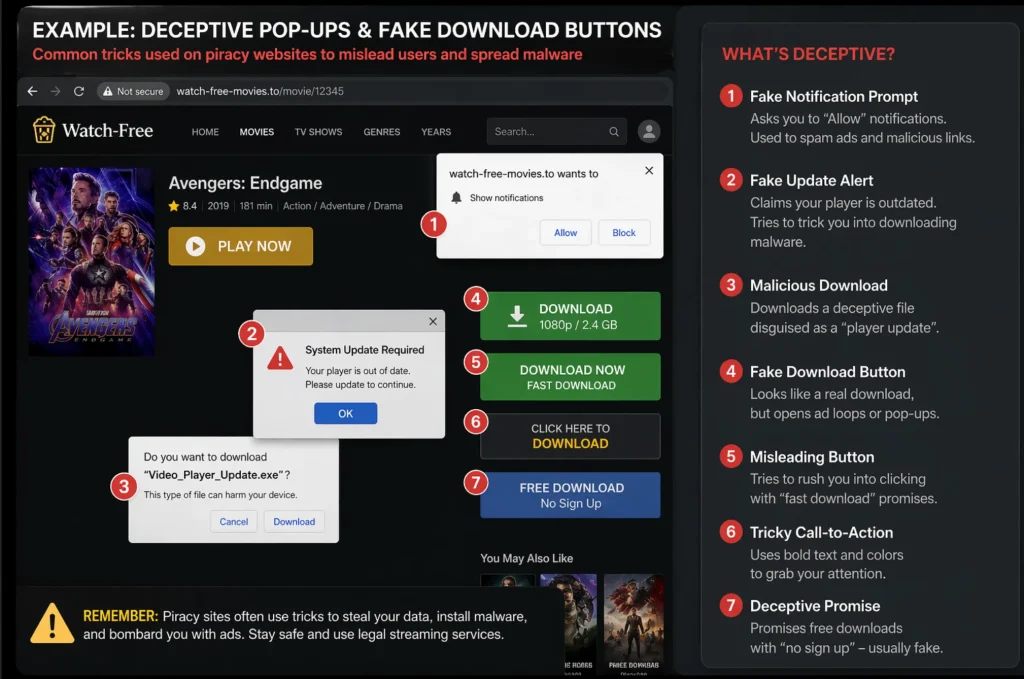
An APK — short for Android Package Kit — is the file format Android uses to install apps. Official apps come from the Google Play Store, which scans them for malware before release. A Movierulz APK is distributed outside that store, usually through random download sites, Telegram channels, or forum links.
That matters because:
- No Google vetting. Nobody is checking what’s inside the file.
- No automatic updates. Security patches never reach you.
- No publisher accountability. If the app steals your data, there’s no company to report.
On the iPhone side, Apple doesn’t even use APK files — which we’ll cover in detail below.
Is Movierulz APK Safe? Uncovering the Hidden Risks
Short answer: No. Here’s why, broken down by threat type.
Malware and Ransomware Threats
Unofficial APKs are a favorite delivery vehicle for cybercriminals. A hacker can take a clean app, inject malicious code, and re-upload it under the same name. You’d never notice the difference until your phone starts behaving strangely.
Cybersecurity firms like Kaspersky and Malwarebytes have repeatedly documented malware families spreading through third-party Android APKs. These include:
- Banking trojans that overlay fake login screens on your banking app and steal credentials.
- Ransomware that locks your files and demands payment.
- Cryptomining scripts that drain your battery and slow your phone to a crawl.
Worse, the FBI’s Internet Crime Complaint Center regularly warns that piracy-adjacent downloads are a top source of mobile malware infections in the United States and Europe.
Data Privacy and Intrusive Permissions
Think about what a movie app actually needs. Storage access? Sure. Internet access? Obviously. But a pirated streaming APK often asks for much more — contacts, SMS, microphone, location, and even device admin rights.
Once granted, those permissions let the app:
- Read your text messages (including two-factor authentication codes).
- Record audio in the background.
- Harvest your contact list for spam or phishing campaigns.
- Track your physical location.
The Electronic Frontier Foundation has extensively documented how unofficial apps exploit Android’s permission system for surveillance.
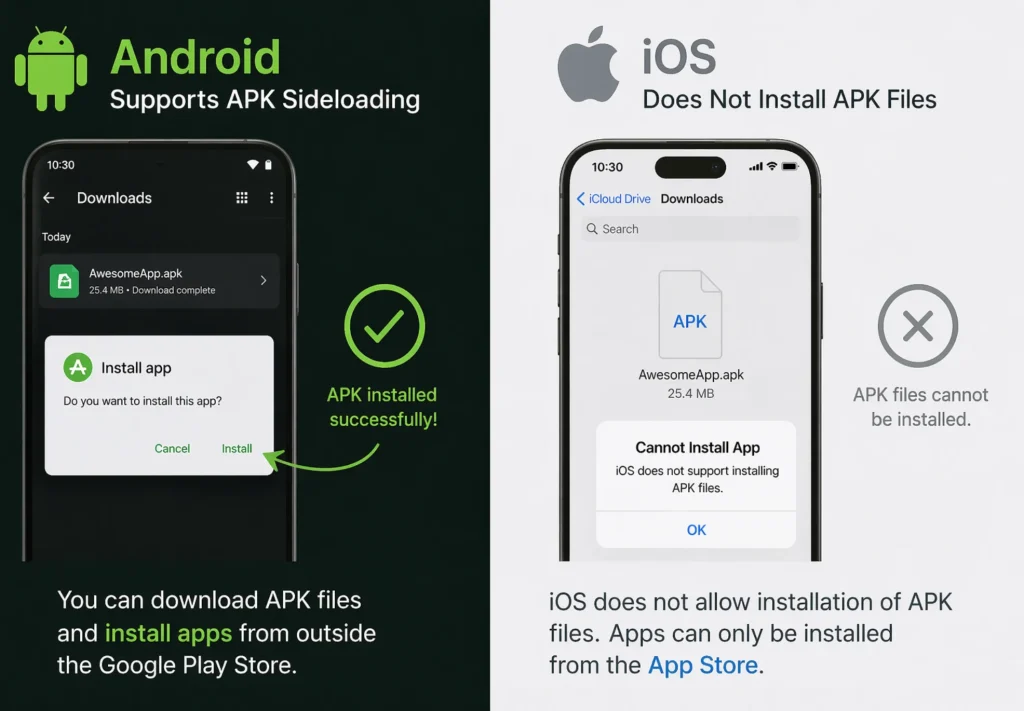
Adware and Fake Download Buttons
Even before you install anything, the Movierulz website itself is a minefield. Pages are loaded with:
- Fake “Download” buttons that trigger malicious downloads or redirect to phishing pages.
- Pop-ups impersonating antivirus warnings (“Your phone has 5 viruses! Click here!”).
- Forced redirects to adult content or scam pages.
- Drive-by downloads — files that install themselves without your consent on outdated browsers.
Movierulz on Android vs. iOS: The Compatibility Breakdown
Compatibility confusion is one of the biggest topics people search for. Here’s the reality.
Installing on Android (Sideloading)
Android lets you install apps from outside the Play Store — a process called sideloading. To do it, you have to disable a built-in security setting (“Install unknown apps”) for your browser or file manager.
That setting exists for a reason. Google’s Android security documentation describes it as a critical defense layer. Turning it off means:
- Any APK you open can attempt to install itself.
- Google Play Protect may still warn you, but it can be overridden.
- Malicious apps can request sensitive permissions that Play Store apps are barred from.
Even if you sideload one app and re-enable the setting afterward, the installed app remains on your device with whatever permissions you granted.
The Myth of “Movierulz for iOS”
Here’s a crucial fact: iPhones do not run APK files. Ever. iOS uses a completely different file format (.ipa) and refuses to install anything outside the App Store by default.
So what’s happening when you see “Movierulz for iOS” search results? Almost always one of three scams:
- Malicious configuration profiles. These are legitimate tools for enterprise device management, but scammers abuse them to install trackers or redirect traffic. Apple’s iOS Security Guide warns users to only install profiles from trusted sources.
- Jailbreak prompts. Jailbreaking removes Apple’s core security protections, voids your warranty, and exposes your device to a whole new category of malware. Apple has publicly warned that jailbreaking may cause instability, security vulnerabilities, and data loss.
- Phishing pages that harvest your Apple ID credentials under the guise of “verifying” your device.
If a website promises a Movierulz iOS app, close the tab. There is no such thing.
The Legal Reality: Will You Get in Trouble?
Laws vary by country, but the broad strokes are consistent across the United States, United Kingdom, and European Union.
In the U.S., the Digital Millennium Copyright Act (DMCA) makes both distributing and knowingly accessing pirated content unlawful. Streaming itself typically draws less enforcement than downloading, but it’s still illegal. Downloading or torrenting — which is how many Movierulz files are delivered — also makes you a redistributor, which carries heavier penalties.
In the EU, the 2017 ruling by the Court of Justice confirmed that even streaming copyrighted content from an unlicensed source is a copyright violation. Member states, including Germany and France, actively fine users.
In the UK, the Intellectual Property Office and groups like FACT have pursued criminal cases against habitual users of piracy services.
Other consequences include:
- ISP warning letters under “copyright alert” programs.
- Bandwidth throttling if your ISP detects repeated torrent activity.
- Civil lawsuits from rights-holder groups, especially when downloading is involved.
Enforcement against individual viewers is inconsistent, but the legal exposure is real — and it doesn’t depend on whether you “meant” to pirate anything.
How to Spot a Piracy-Site Scam Before It Costs You
Even if you never intend to install Movierulz, you may stumble onto its pages through misleading search results. Knowing the warning signs protects you.
Red flags to watch for:
- Multiple “Download” buttons of different sizes and colors. Legitimate sites have one.
- Urgent antivirus pop-ups claiming your phone is infected — especially ones that can’t be closed.
- Requests to install a “player,” “codec,” or “profile” to watch the content.
- Redirects through three or four pages before reaching the video.
- Prompts to disable your ad-blocker or security software.
- Requests for Apple ID, Google password, or credit card details “for verification.”
The Federal Trade Commission publishes an excellent plain-language guide to phishing tactics that’s worth bookmarking.
If you encounter any of these, close the tab immediately and run a scan with a reputable mobile security tool.
Harm Reduction: How to Protect Your Device (If You Still Decide to Try It)
While we strongly advise against downloading the Movierulz APK due to the severe security and legal risks outlined above, the reality is that some users will still decide to take the gamble. If you are absolutely determined to sideload this app or visit its web proxies, you need to practice strict digital hygiene.
Treat this process as damage control. Here is how you can minimize the threat to your personal data and hardware:
1. Always Use a Premium VPN
If you are streaming or downloading unverified content, your Internet Service Provider (ISP) can see exactly what you’re doing. A reliable, premium Virtual Private Network (VPN) encrypts your internet traffic and masks your real IP address.
- The Reality Check: A VPN will keep your activity hidden from your ISP and prevent throttling, but it will not protect you from malware hidden inside the APK itself.
2. Scan the APK File Before Installing
Never download an APK file and immediately hit “Install.” Because Movierulz is not regulated by Google Play Protect, you must act as your own security checkpoint.
- How to do it: Before installing, upload the downloaded .apk file to a free threat-detection site like VirusTotal. It will run the file through dozens of antivirus engines to check for hidden trojans, spyware, or ransomware. If it flags the file, delete it immediately.
3. Use an Ad-Blocker and a Secure Browser
The primary way unofficial streaming sites make money—and the primary way they infect your phone—is through aggressive, malicious advertising. Fake “Download Now” buttons and invisible pop-unders can trigger drive-by downloads without your consent.
- The Fix: Navigate to these sites using a privacy-focused browser like Brave, which has built-in, aggressive ad and tracker blocking. Alternatively, ensure your current browser is equipped with a robust extension like uBlock Origin.
4. Isolate the Threat: Never Use Your Primary Device
This is the golden rule of sideloading high-risk apps. Your primary smartphone contains your banking apps, personal emails, private photos, and social media accounts. Giving an unverified APK access to that device is a massive security failure.
- The Safer Alternative: If you must use Movierulz, install the APK on an old, factory-reset “burner” Android phone that contains zero personal data and has no SIM card attached to your identity. Alternatively, use an Android emulator (like BlueStacks) on a PC to sandbox the app safely away from your mobile data.
5. Deny Intrusive App Permissions
If you do install the app, Android will ask you to grant it specific permissions. Pay close attention here. A movie streaming app needs access to the internet, and maybe your storage if you are downloading a video.
- Red Flags: If the Movierulz APK asks for access to your Contacts, Microphone, SMS messages, or Location, deny the permissions and uninstall the app immediately. There is no legitimate reason for a movie app to need that data, and it is a clear sign of spyware.
Important Note: These harm reduction strategies will lower your risk, but they cannot eliminate it entirely. The only 100% safe way to consume content is through legal, verified streaming platforms.
Top 6 Safe, 100% Legal Alternatives to Movierulz
Here’s the part that actually solves your problem: you can watch thousands of movies and shows for zero dollars, legally, without installing anything sketchy. Every platform below is licensed, App Store–approved, and available on both Android and iOS.
1. Tubi
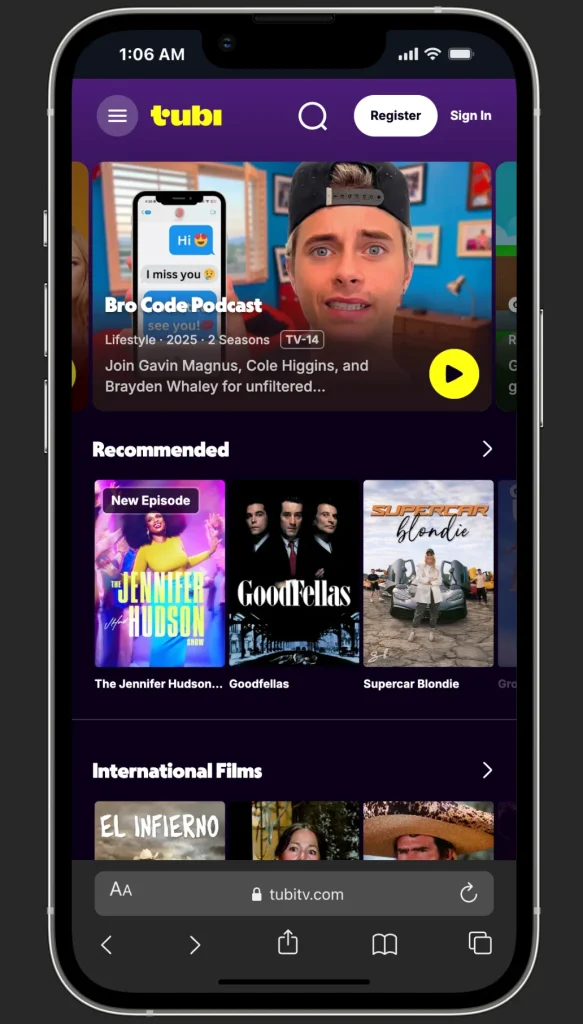
Owned by Fox Corporation, Tubi offers over 250,000 movies and TV episodes — one of the largest free libraries anywhere. You’ll find Hollywood classics, recent action films, international cinema, and a strong anime selection. No subscription or credit card is required; you just open the app and watch. Ad breaks run roughly 4–6 minutes per hour.
Best for: Movie buffs, cord-cutters, and anyone who wants the broadest free on-demand library.
2. Pluto TV
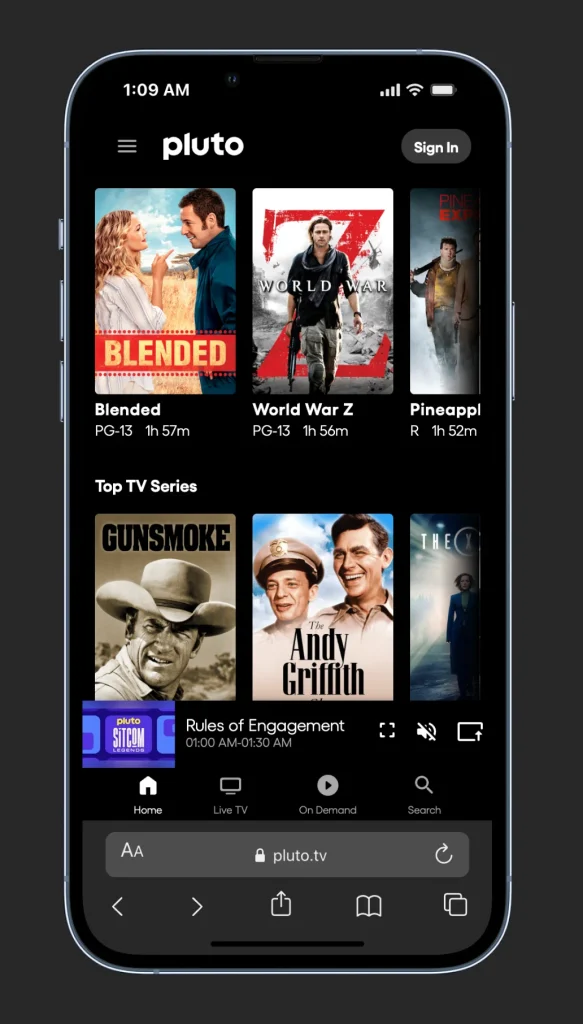
Owned by Paramount, Pluto TV delivers the closest free experience to traditional cable. It offers 250+ live channels— news, sports, classic sitcoms, movies by genre — plus an on-demand catalog. Channels like “MST3K,” “Star Trek,” and genre-specific movie streams run 24/7.
Best for: People who miss channel-surfing and live news/sports.
3. The Roku Channel
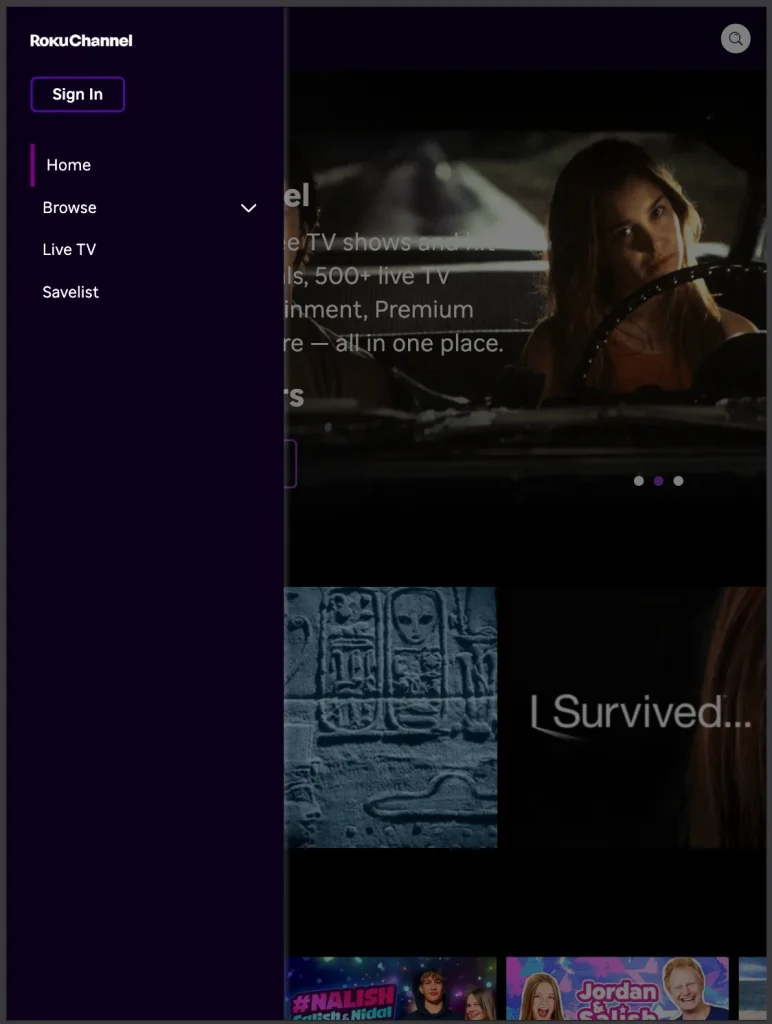
You don’t need a Roku device. The Roku Channel is free on the web, iOS, Android, Fire TV, and most smart TVs. It carries thousands of free movies, live channels, and a growing slate of originals. Ad loads are comparable to Tubi.
Best for: All-around balance of movies, live TV, and originals.
4. Plex
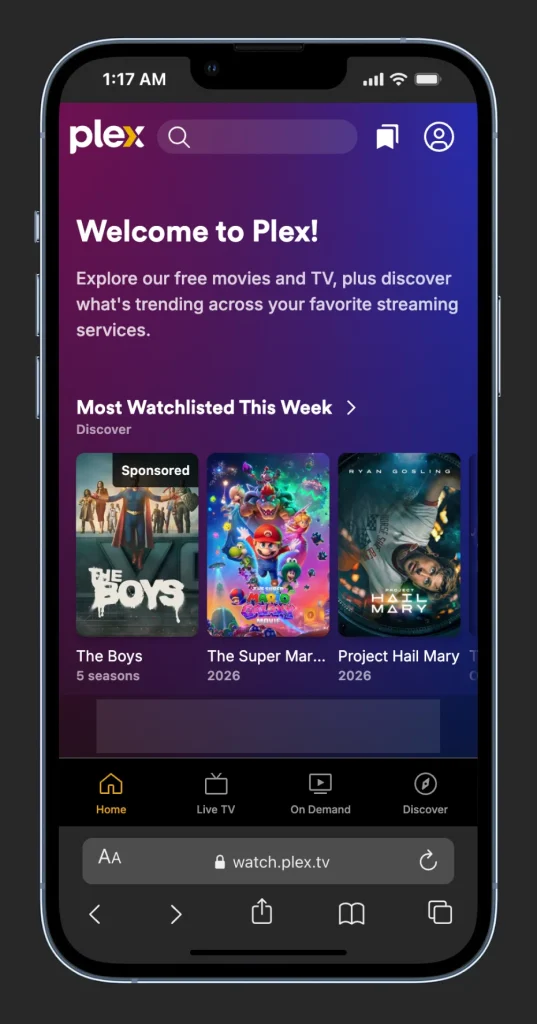
Plex started as a personal media server but now includes a free ad-supported streaming tier with thousands of movies and TV shows. The interface is polished, and it runs on virtually every device.
Best for: Tech-comfortable users who also want to organize their own media library.
5. Prime Video’s Free Tier (with ads)
In September 2025, Amazon consolidated Freevee into Prime Video. You can now watch a rotating selection of Prime Video content — including former Freevee originals like Jury Duty and Bosch: Legacy — for free with ads, and no Prime membership is required. Look for the “Watch for Free” or “Free with ads” section.
Best for: Quality originals and recent licensed films without paying for Prime.
Bonus: Your Local Library
Don’t overlook this one. Apps like Kanopy and Hoopla are completely free with a public library card — and they’re ad-free. Kanopy, in particular, hosts a world-class collection of independent, classic, and Criterion Collection films. Check with your local library; most U.S. and UK libraries participate.
Discounted Paid Options
If you want first-run blockbusters, a few tricks keep costs low:
- Student plans. Spotify/Hulu student bundle, Apple Music student with TV+ access.
- Bundles. The Disney+/Hulu/Max bundle costs significantly less than the services separately.
- Shared family plans. Netflix, Spotify, and YouTube Premium all offer family plans.
- Rotate subscriptions. Subscribe to one service per month and cancel when you’ve watched what you want.
Frequently Asked Questions
ISPs and courts regularly issue takedown orders because the site hosts pirated content. To evade blocks, operators register dozens of mirror domains (movierulz.pz, movierulz.ms, etc.). Search engines flag these as risky, and many load malicious scripts on arrival.
It’s not safe with one either. A VPN changes where your traffic appears to come from, but it doesn’t protect you from malware embedded in APKs, phishing pages, or data-harvesting apps. The risks we covered above apply either way.
You cannot install an APK on an iPhone at all — iOS doesn’t recognize the format. Any site claiming otherwise is a scam. Attempting the workarounds they suggest (malicious configuration profiles or jailbreaking) can permanently compromise your device, void your warranty, and expose your Apple ID.
Google’s Developer Program Policies prohibit apps that distribute copyrighted content without authorization. Any app that violates that policy is rejected or removed. Movierulz has never qualified.
Yes. Tubi alone offers more movies than Netflix. Pluto TV has live channels that cable subscribers used to pay $100/month for. Quality varies by title, and you’ll watch ads, but the libraries are extensive and perfectly legal.
Usually, yes. ISPs can see the domains you connect to. In the U.S., UK, and most of Europe, ISPs participate in copyright alert programs and may send warning notices. Repeat offenders can face bandwidth throttling or service termination.
Final Verdict: Is Movierulz Worth the Risk?
Let’s be honest about the trade-off.
What you get: Access to pirated movies you could likely find on a legal free service anyway.
What you risk: Malware infection, ransomware, stolen banking credentials, harvested contacts, a compromised Apple ID, ISP warning letters, bandwidth throttling, and — in some jurisdictions — civil fines.
The Movierulz APK is not safe, on Android or iOS. The Android version exposes your device to the full range of sideloaded-app threats. The “iOS version” doesn’t actually exist, and every workaround marketed as one is a scam.
The good news is that you don’t have to choose between safety and saving money. Tubi, Pluto TV, The Roku Channel, Crackle, Plex, and Prime Video’s free tier collectively offer hundreds of thousands of legally licensed movies and shows. Your library card unlocks even more. None of them will compromise your phone or your data.
Bottom line: The ten seconds it takes to download Tubi from the App Store or Google Play is a much better investment than the days you’d spend recovering from a malware infection.