TubeMate vs. VidMate APK: 5 Android Downloaders Compared
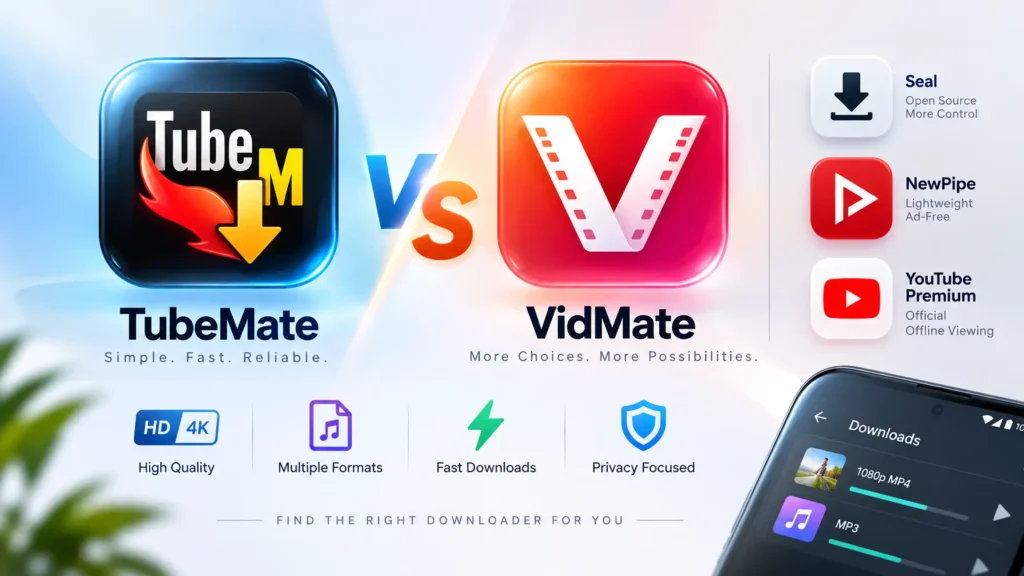
For most Android users, TubeMate is better for a focused download workflow, while VidMate suits people who want broader site support and built-in media discovery. Neither is distributed through Google Play. Privacy-conscious users should consider NewPipe or Seal, obtain every APK from its primary release channel, and verify the downloaded file before installation.
Key Takeaways
- TubeMate offers the simpler interface, with resolution selection, background downloads, and audio extraction.
- VidMate provides more discovery features, supported services, and quality options, including 4K when the source exposes it.
- Seal and NewPipe are the strongest ad-free alternatives because their source code and official releases are public.
Quick Comparison: TubeMate, VidMate, and Alternatives
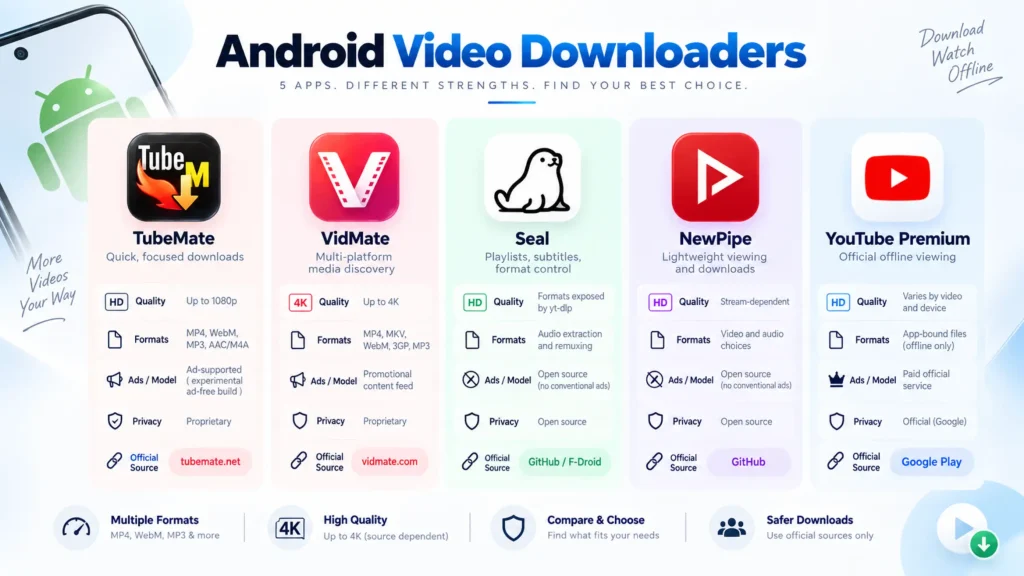
The best video downloader APK for Android depends on whether you value simplicity, broad site coverage, advanced format controls, or privacy.
| Android app | Best for | Quality and formats | Ads and source model | Primary release channel |
|---|---|---|---|---|
| TubeMate | Quick, focused downloads | Up to 1080p advertised; MP4, WebM, MP3, AAC/M4A | Proprietary; ad-supported with an experimental ad-free build | tubemate.net |
| VidMate | Multi-platform media discovery | Up to 4K advertised; MP4, MKV, WebM, 3GP, MP3 | Proprietary; promotional content feed | vidmate.com |
| Seal | Playlists, subtitles, metadata, and format control | Formats exposed by yt-dlp; audio extraction and remuxing | Open source; no conventional ad network | GitHub or F-Droid |
| NewPipe | Lightweight viewing and simple downloads | Stream-dependent video and audio choices | Open source; no conventional ad network | Official repository or GitHub |
| YouTube Premium | Official offline viewing | Quality varies by video and device; app-bound files | Paid official service | Google Play |
Bottom line: Choose TubeMate for ease of use, VidMate for an all-in-one media browser, NewPipe for a clean lightweight experience, and Seal for the greatest control over formats and playlists.
YouTube Premium remains the safest official route for YouTube offline playback, but its encrypted downloads stay inside the application rather than becoming ordinary MP4 or MP3 files. Citation: YouTube Help / Offline Video FAQs — official offline playback and file behavior.
Features: Quality, Speed, Formats, and File Limits
TubeMate keeps downloading simple, while VidMate includes more media services and discovery tools.
Video quality and format support
TubeMate advertises resolutions from 240p through 1080p, plus MP4, WebM, MP3, and AAC/M4A output. Users can select a quality before downloading, run transfers in the background, and extract an audio track from compatible videos. Citation: TubeMate / Official Product Page — advertised resolutions, formats, and background features
VidMate advertises options from 360p through 4K, along with MP4, MKV, FLV, 3GP, and MP3 output. It adds a built-in player, link detection, and access to several social and video platforms. Citation: VidMate / Official Download Page — advertised quality levels and supported formats
Those specifications are maximum capabilities, not a promise for every video. A 4K button appears only when the source provides a compatible high-resolution stream and the downloader can process it.
High-quality streams may also store video and audio separately. The application must merge them into one playable file. A failed merge can produce a silent video, an audio-only file, or a format that the phone’s default player cannot open.
Download speed and multi-threading
TubeMate and VidMate advertise multi-thread downloading, which retrieves several file segments at once. It can improve transfer performance when the source server allows parallel requests, but it cannot overcome ISP limits, server throttling, congested Wi-Fi, or slow phone storage.
Ignore unqualified claims such as “three times faster.” A useful speed test must use the same:
- Phone and Android version.
- Wi-Fi or mobile connection.
- Source video and resolution.
- Time of day.
- Storage destination.
- Application version.
Measure format-detection time, average transfer rate, pause-and-resume reliability, battery use, and whether the final file contains synchronized audio. A downloader that peaks quickly but repeatedly fails near completion is not the faster tool in practice.
Storage requirements and download limits
Neither application imposes a meaningful universal file-size rule that applies across every platform. The practical limits are usually available storage, the source service, Android’s file system, and the stability of the connection.
Use 360p or 480p when storage is limited, 720p for a good phone-screen balance, and 1080p or higher when the display and available space justify the larger file. Check the estimated size before starting a playlist.
Official APK Sources and Download Details
The safest source is the developer’s primary domain or public code repository—not the first APK portal appearing in search results.
TubeMate download
- Primary domain:
tubemate.net- Version displayed during verification: 3.4.22.1565
- Advertised maximum quality: 1080p
- File size and Android minimum: Confirm on the current download or installer screen; the publisher page does not expose stable specifications for every build.
- Action: Download from the TubeMate publisher page
VidMate download
- Primary domain:
vidmate.com- Version displayed on the regional publisher page during verification: 6.0229
- Advertised maximum quality: 4K when available
- File size and Android minimum: Confirm against the exact regional build before installation.
- Action: Download from the VidMate publisher page
Version numbers, package sizes, and Android requirements can change without notice. That is why a static “latest version” badge can become dangerous: it may send users toward an outdated mirror after the publisher releases a security or compatibility update.
Do not substitute vidmateapp.com, a similarly named TubeMate listing in Google Play, or an “official” domain containing extra words unless the primary project explicitly identifies it. A familiar logo and filename do not authenticate an APK.
For open-source alternatives:
- NewPipe: Use the
TeamNewPipe/NewPipeGitHub releases page or the repository named by the project. The current v0.29.0 release requires Android 6 or later. Citation: Team NewPipe / Official Releases — current version and Android requirement - Seal: Use the
JunkFood02/SealGitHub releases page or F-Droid. Prefer a stable release unless you intentionally want to test an alpha build. Citation: Seal / Official Repository — stable release channels
Security and Privacy: What to Check Before Installing
A missing Google Play listing does not automatically prove that an application contains malware, but it transfers verification responsibility to the user.
TubeMate and VidMate are proprietary applications, so outsiders cannot review their complete source code. Their publisher pages may describe the APK as safe, but a vendor’s own statement is not an independent audit.
Legitimate permissions and warning signs
A downloader may reasonably need:
- Photos, videos, music, or storage access to save files.
- Notifications to report progress.
- Network access to retrieve media.
- Background activity while a download is running.
Investigate requests for:
- Contacts or call logs
- SMS access
- Accessibility-service control
- Device administrator privileges
- Precise location
- Display over other apps
Overlay permission can place content above other applications and is sometimes used for floating controls. It is not required for a normal paste-link-download workflow, so reject it unless you understand the feature that needs it.
Practical pitfall: VirusTotal and Play Protect can flag known or suspicious code, but neither proves that an APK respects your privacy. An app may pass malware checks while still using extensive analytics, advertising identifiers, notifications, or background network traffic. Review both the scan result and the application’s behavior.
Google recommends keeping Play Protect enabled and activating improved harmful-app detection for applications obtained outside Google Play. Citation: Google Account Help / Remove Malware or Unsafe Software — Play Protect guidance for sideloaded apps.
Best Ad-Free Alternatives: NewPipe, Seal, and ReVanced
NewPipe is the easiest privacy-focused alternative, while Seal provides the most advanced download controls.
NewPipe
This acts as a lightweight media front end with background playback, subscriptions stored locally, pop-up video, and direct download options. It does not require a Google account for its standard workflow.
Its public repository provides source code, release files, and signing-key verification instructions. Citation: Team NewPipe / Official Repository — installation and signature verification
NewPipe can temporarily stop working when a supported platform changes its player or request system. Its maintainers publish extractor updates and hotfixes, so an error may indicate that the installed build is outdated rather than a problem with the phone.
Seal
Seal is an Android interface for yt-dlp. It supports playlist queues, subtitles, metadata, audio extraction, format selection, and custom command templates. It is the better choice when you need capabilities beyond a basic download button.
Seal can resolve some extraction failures after its yt-dlp component receives an update. It cannot guarantee access to DRM-protected, private, login-restricted, age-restricted, or region-blocked media.
ReVanced and YouTube Vanced
A revanced apk download is not a direct substitute for a universal downloader. ReVanced Manager patches compatible applications, and users should obtain it only through the project’s documented channel.
There is no legitimate youtube vanced latest apk released by the discontinued original Vanced project. Newly updated packages using that name are unofficial repacks. NewPipe or Seal is a safer choice when the actual requirement is downloadable media rather than application patching.
How to Safely Sideload a Video Downloader APK
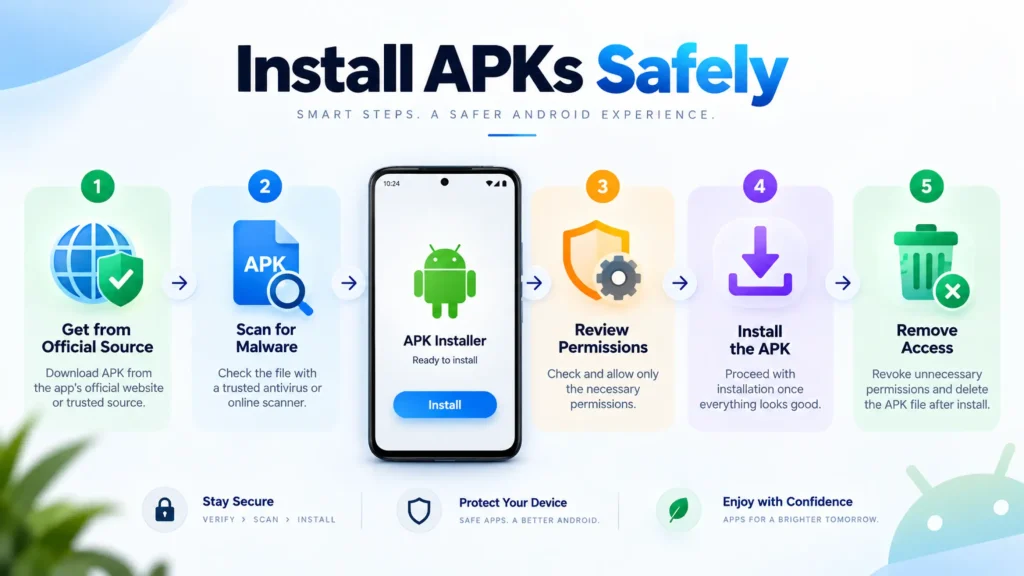
A safe installation process begins before downloading the file and ends by revoking installation access.
- Confirm permission to save the media. Download your own uploads, public-domain files, openly licensed works, or content whose provider permits downloading.
- Visit the primary release channel. Type the developer’s known domain or open its documented GitHub repository.
- Avoid modified packages. Reject files labeled “MOD,” “Premium Unlocked,” “Pro Free,” or “No Ads Hack.” These builds have been altered by an unknown distributor.
- Download without opening the file immediately. Check the filename, version, package size, and source page.
- Scan the APK. Keep Play Protect active and use a reputable multi-engine scanner when appropriate. Treat a clean result as one security signal, not a guarantee.
- Enable scoped installation. Open Settings → Apps → Special app access → Install unknown apps. Grant permission only to the browser or file manager handling this APK. Menu names vary by phone.
- Install and review permissions. Deny access unrelated to downloading. Test the app with a public-domain or self-owned video before entering accounts or opening private links.
- Revoke installation access. Disable “Install unknown apps” for the browser or file manager after installation.
- Verify every update. Ensure the update comes from the same channel and retains the expected application identity or signer.
TubeMate’s own installation guide recommends permitting only the current installation when Android provides that option. Citation: TubeMate / Installation Guide — scoped unknown-source installation
Frequently Asked Questions
Is TubeMate or VidMate safer for Android?
Neither name guarantees safety because the exact APK, source, signer, permissions, and update channel determine risk. Download from tubemate.net or vidmate.com, avoid modified builds, and scan the file before installation. NewPipe and Seal provide better transparency because their source code and releases are public.
Can TubeMate download 4K videos?
TubeMate’s current publisher page advertises video downloads up to 1080p, not 4K. Users who need 2K, 4K, HDR, high-frame-rate video, or specific audio codecs should consider Seal. Actual options still depend on the formats exposed by the original video service.
What is the best ad-free video downloader for Android?
Seal is the strongest ad-free option for playlists, subtitles, metadata, and detailed format selection. NewPipe is easier for users who prefer a lightweight player with a simple download function. Both are open-source, but either can require updates when a supported video platform changes its systems.
Why are TubeMate and VidMate unavailable on Google Play?
Their publishers distribute them outside Google Play because their downloading features can conflict with platform or store rules governing third-party streaming media. Absence from the store does not prove malware, but users lose the standard Play distribution path and must verify each package and update independently.
Final Recommendation
Choose TubeMate for a simple download pipeline and VidMate for broader discovery and format options. Choose NewPipe when privacy and ease of use matter most, or Seal for playlists, subtitles, and advanced format control. To download TubeMate or VidMate safely, use the publisher’s primary domain, reject modified builds, scan the APK, and remove sideloading permission after installation.