Running out of phone storage is a daily frustration for millions of Android users. Photos pile up, 4K videos eat gigabytes within minutes, and important documents end up scattered across messaging apps. Cloud storage solves this problem, yet most premium plans cost more than people want to spend.
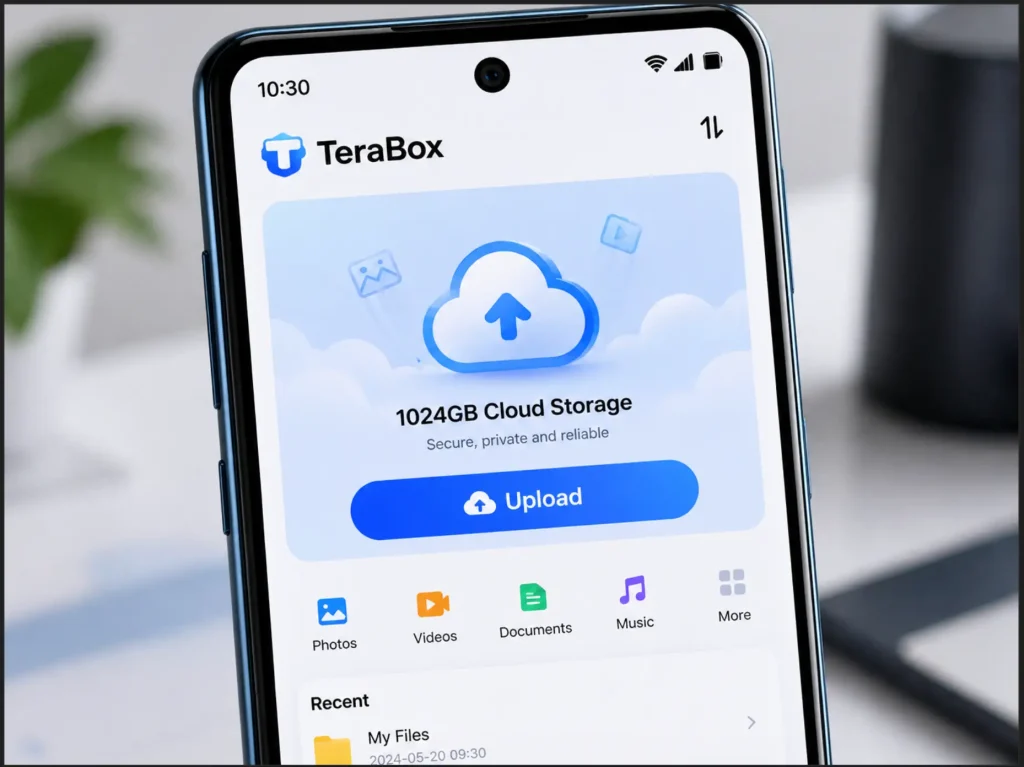
That is why Terabox has captured global attention. The official app offers a generous 1024GB (1TB) of free cloud storage straight out of the box, which makes it one of the most generous free tiers in the industry, as confirmed by independent reviews from TechRadar. Still, the free plan comes with limitations. Many users search online for the Terabox Mod APK in the hope of unlocking premium features without paying a subscription.
This guide explains exactly what the Terabox Mod APK is, how it works, and what every reader should know before installing it. We will walk through the features, the download process, the installation steps, and—most importantly—the security trade-offs you need to consider before tapping that install button.
Key Takeaways
- What it is: The Terabox Mod APK is an unofficial, third-party modified version of the official Terabox cloud storage app for Android.
- What it claims to unlock: Premium features such as ad removal, 1080p video playback, faster upload and download speeds, automatic video backup, and cloud decompression.
- How to get it: The mod is not on Google Play. Users sideload it from third-party APK directories after enabling “Install from unknown sources” on Android.
- Main risks: Modded APKs can carry malware, miss out on automatic security updates, and may trigger account bans because they violate Terabox’s terms of service.
- Safer alternative: The official Terabox Premium subscription, or privacy-focused services such as Proton Drive, Sync.com, or Mega.
What Is Terabox Mod APK?
To understand the modded version, it helps to first understand the official app.
Terabox is a legitimate cloud storage and file-sharing service developed by Flextech Inc., a Japan-based company. It allows users to upload, back up, share, and stream files across Android, iOS, Windows, macOS, and the web. The free tier delivers a remarkable 1TB of permanent storage, AI-powered tools, and automatic photo backup, according to the official Terabox listing on Google Play.
A Mod APK, short for “Modified Android Package Kit,” is a third-party version of an official Android app. Independent developers decompile the original APK file, alter the code to bypass paywalls or restrictions, then repackage and redistribute it outside the Google Play Store. Cybersecurity firm Aiplex Antipiracy explains that this process strips away licensing checks so users can access paid features without payment.
So when people search for the Terabox Premium Mod APK, they are looking for an unofficial build that promises VIP-level features—expanded storage, ad removal, faster speeds, and HD playback—without the recurring subscription fee.
| Term | Meaning |
| Terabox (Official) | Legitimate cloud storage app available on Google Play and the App Store |
| APK | Standard Android installer file format |
| Mod APK | Modified, unofficial version of an APK with altered features |
| Terabox Mod APK Premium Unlocked | A modded build that claims to remove free-tier limits |
Why Users Look for the Terabox Mod APK
The free version of Terabox is generous in storage but tight on convenience. Reviewers and users commonly cite these pain points:
- Frequent video and pop-up ads that interrupt browsing and playback.
- Capped video quality at 360p or 480p unless you upgrade to Premium.
- Bandwidth throttling that slows down uploads and downloads on the free plan.
- No automatic video backup on the free tier (only photos sync automatically).
- No cloud decompression for ZIP and RAR archives.
These limits push some users to search for a Terabox mod APK with no ads to lift these restrictions. It is a real demand—but as we will see later, it carries trade-offs that matter.
Top Features of the Terabox Premium Mod APK
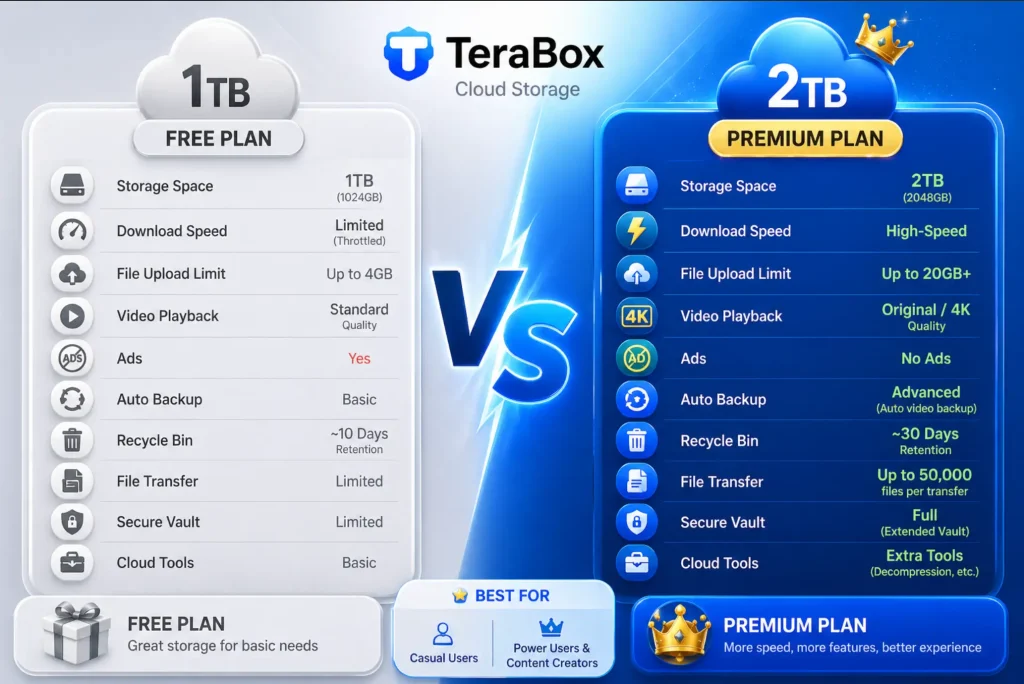
Different mod sources advertise slightly different feature sets, but most claim the following enhancements over the free official build. Keep in mind these are claims made by third-party distributors and are not endorsed or verified by Flextech Inc.
Premium Vault Unlocked
The Terabox mod APK with premium unlocked features claims to grant access to options normally locked behind the paid Premium plan. According to TechRadar’s review of the official app, official Premium benefits include 2TB of storage, a 20GB single-file upload limit, the ability to store up to 50,000 files, and a 30-day recycle bin retention period.
Completely Ad-Free Experience
Free-tier users frequently report intrusive video ads that can run for 30 to 60 seconds before they can return to the app. A modded build advertised as a Terabox mod APK with no ads strips these advertising modules from the app, providing a clean, uninterrupted interface.
Removal of Bandwidth Throttling
Free Terabox accounts experience reduced upload and download speeds, which can make moving large files painful. Modded builds claim to bypass these caps, allowing for faster syncing.
High-Definition Video Playback
The official free tier limits in-app video playback quality. The modded versions claim to unlock 1080p HD streaming so that movies, vlogs, and recorded lectures look sharp without buffering through a low-resolution player.
Auto-Backup for Videos and Folders
While the free official app only auto-backs up photos, the Premium tier extends this to entire video folders. The mod claims to enable this same automated video backup feature.
Cloud Decompression
Premium users can extract ZIP and RAR files directly inside Terabox without downloading them first. Mod builds typically advertise this ability as well.
| Feature | Free Official App | Official Premium | Mod APK (Claimed) |
| Storage | 1TB | 2TB | 1TB to 2TB+ |
| File Upload Limit | 4GB | 20GB | 20GB |
| Ads | Yes (frequent) | Reduced | None |
| Video Playback | 360p/480p | 1080p | 1080p |
| Auto Video Backup | No | Yes | Yes |
| Cloud Decompression | No | Yes | Yes |
| Source | Google Play / App Store | Google Play / App Store | Third-party websites |
How to Download Terabox Mod APK
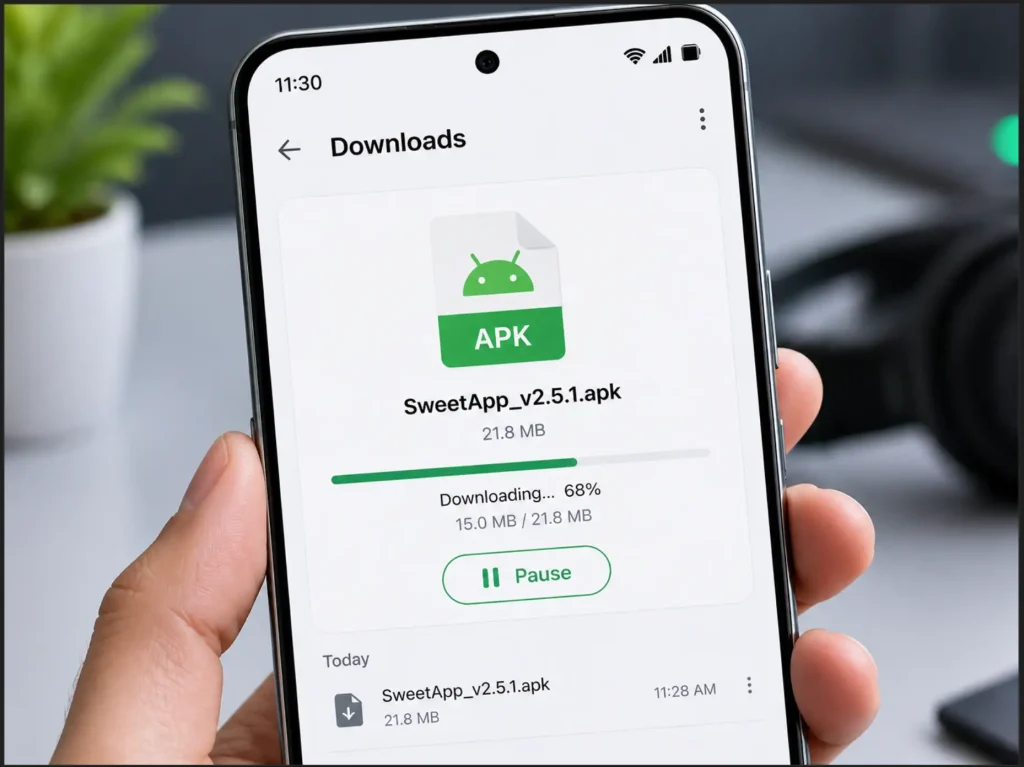
Because Google Play does not host modded apps, users typically download the Terabox mod APK from third-party APK directories. Versions circulating online generally range from v4.15 through v4.22, depending on how recently a particular mod build has been refreshed by its maintainer.
Before downloading, follow these baseline safety practices:
- Pick a well-known APK directory. Long-running sites with active comment sections and update logs are generally more trustworthy than newly registered domains.
- Read user reviews and the modder’s notes. A reputable mod page lists what was changed, the version number, and the file size.
- Compare file size and version with the official app on the Google Play store listing. A mod that is wildly larger than the original may contain bundled extras you do not want.
- Scan the file before installing. Upload the downloaded APK to VirusTotal, which checks the file against more than 70 antivirus engines for free.
- Avoid sites that demand sign-ups or push you through aggressive redirect chains. Those are red flags.
Important security note: Official guidance from cybersecurity researchers makes clear that modded APKs frequently contain hidden malware, spyware, or trojans because attackers use the same repackaging process to inject malicious code. We will cover the full risk picture in a later section.
How to Install Terabox Mod APK: A Step-by-Step Guide
Once you have the APK file on your device and have scanned it with a reputable antivirus tool, installation is straightforward. Here is the standard process:
Step 1: Uninstall the Original Terabox App
If you already have the official Terabox installed from Google Play, remove it first. Both versions share the same package signature, and Android will block the mod from installing over the official build.
Long-press the Terabox icon, tap Uninstall, and confirm.
Step 2: Enable Installation from Unknown Sources
By default, Android blocks installations from outside Google Play. To allow the mod APK to install:
- On Android 8 and newer, go to Settings > Apps > Special Access > Install Unknown Apps, choose your file manager or browser, and toggle Allow from this source.
- On older Android versions, go to Settings > Security, then enable Unknown Sources.
Google’s own developer documentation explains how Android isolates apps and why sideloading carries higher risk—worth a quick read if this is your first time.
Step 3: Open the Downloaded APK File
Open your file manager, navigate to the Downloads folder, and tap the Terabox Mod APK file you saved.
Step 4: Confirm and Install
Android will display a permission summary. Review the requested permissions carefully—if the mod is asking for access that the original app does not need (such as SMS access, accessibility services, or device admin rights), cancel the installation immediately. If the permissions look reasonable, tap Install and wait for the process to finish.
Step 5: Open the App and Sign In
Tap Open when the installation completes. As a safer practice, sign in with a secondary email account rather than your primary Google or work email. This isolates your modded session from your main accounts in case something goes wrong.
| Step | Action | Estimated Time |
| 1 | Uninstall official Terabox | 30 seconds |
| 2 | Enable unknown sources | 1 minute |
| 3 | Locate APK file | 30 seconds |
| 4 | Install APK | 1–2 minutes |
| 5 | Sign in with a secondary account | 1 minute |
How to Use Terabox Mod APK
Once installed, the modded app behaves much like the original. Here is a quick-start workflow for new users.
Creating an Account or Logging In
Open the app and choose Sign Up. You can register with email, Google, Facebook, or an Apple ID. As mentioned above, using a secondary email is the safer route.
Uploading Files
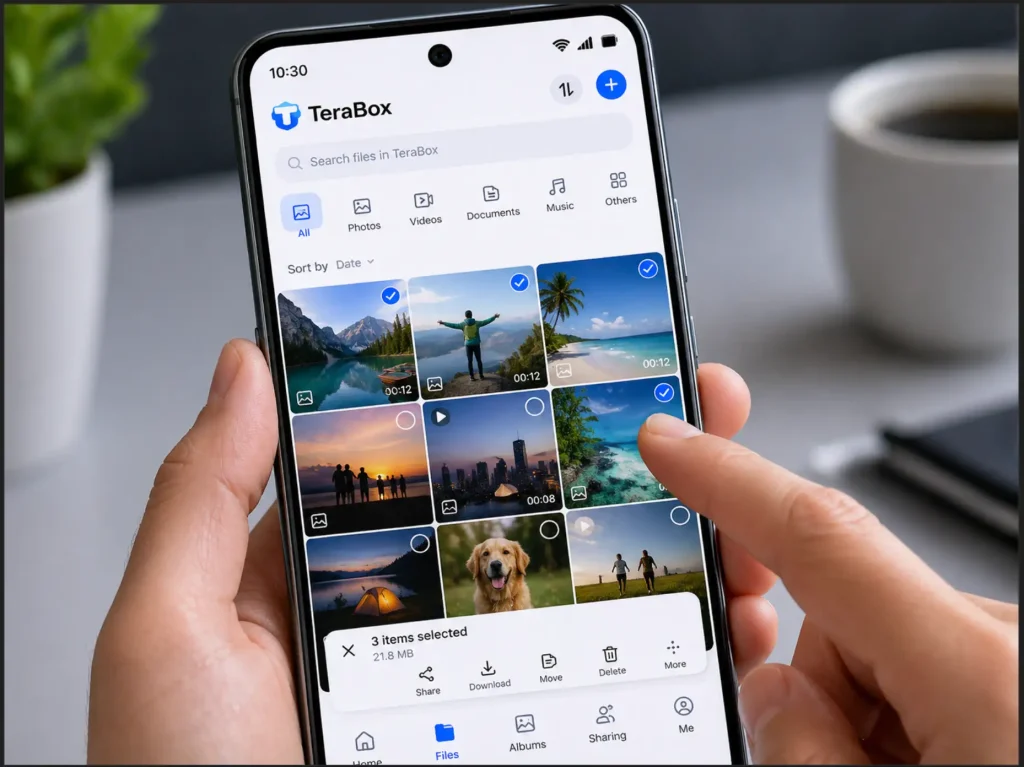
Tap the + icon at the bottom of the screen, then choose Upload. Select photos, videos, documents, audio, or entire folders, and the upload begins immediately. The modded build claims to bypass speed caps, which can make this stage noticeably faster on a strong connection.
Setting Up Auto-Backup
Go to Profile > Settings > Backup. Toggle on the categories you want synced automatically—Photos, Videos, Screenshots, or specific folders. Auto-backup runs in the background whenever the device is connected to Wi-Fi (or mobile data, if you allow it).
Sharing Files Securely
To share, long-press any file or folder and tap Share. Terabox lets you generate a link with optional password protection and expiry timing, even on the free tier, a feature highlighted in the Cloudwards review. This is particularly useful for sending sensitive files to colleagues or clients.
Streaming and Playback
Tap any video to stream it directly without downloading. The mod claims to remove the 360p cap and unlock 1080p playback inside the built-in player.
The Reality Check: Risks and Limitations of Modded Apps
This section matters more than any feature list. We owe readers an honest account of what they are signing up for.
Malware and Spyware Risk
Cybersecurity researchers consistently warn that modded APKs are a well-documented vector for malware. According to Aiplex Antipiracy’s expert analysis, modified apps frequently contain spyware, keyloggers, ransomware, or adware that runs silently in the background. Once the original digital signature is broken, the Android operating system can no longer verify the app’s integrity.
The practical concern: granting a modded cloud storage app permission to access your photos, contacts, and storage is a significant privacy exposure if the build has been tampered with maliciously.
No Automatic Security Updates
As Quora’s expert respondents have noted, sideloaded APKs do not receive automatic security updates from Google Play. If a vulnerability is discovered in the underlying app, your modded version stays exposed until a new mod build is released—if one is ever released at all.
Account Bans
Cloud storage providers actively monitor for unauthorized clients. Terabox’s terms of service prohibit using third-party modified clients. Accounts caught accessing premium features without a valid subscription can be suspended or permanently banned, potentially costing you the very files you uploaded for safekeeping.
Legal and Ethical Considerations
Modifying and redistributing a copyrighted app violates the developer’s terms of service and intellectual property rights. While individual end users rarely face direct legal action, the practice undermines the developers who fund ongoing security work and feature development.
The Safer Alternative
If Terabox is genuinely useful to your workflow, the most reliable option is the official Premium subscription. Pricing is on the more affordable end of the cloud storage market, and you get 2TB, faster speeds, fewer ads, and continuous security updates without sideloading the risk. The official Terabox pricing page lists current plans transparently.
For those who want a fully ad-free, privacy-first cloud experience with end-to-end encryption, established alternatives such as Proton Drive, Sync.com, or Mega are worth exploring as well.
| Risk | Likelihood | Potential Impact |
| Malware infection | Moderate to High (varies by source) | Data theft, device compromise |
| Privacy leakage | Moderate | Personal files exposed to third parties |
| Account ban | Moderate | Loss of stored files |
| No security updates | Certain | Long-term vulnerability exposure |
| Legal issues for end users | Low | Generally limited to terms-of-service violations |
Frequently Asked Questions
Is Terabox Mod APK legal? Using a modded version personally is a legal gray area in most countries, but it almost always violates Terabox’s terms of service. Distributing the modded APK is a clearer copyright violation.
Will the mod work on iOS? No. APK files are exclusive to Android. Apple’s iOS uses a closed app distribution system that does not permit sideloaded modified builds without jailbreaking.
Does the mod actually deliver 2TB of storage? Mods cannot magically add server-side storage. The 1TB-to-2TB jump is enforced on Terabox’s servers, not on the client app. So while the mod may visually display a higher quota, your real storage cap depends on what the server assigns to your account.
Will my account get banned? There is a real risk. Terabox can detect unofficial clients through fingerprinting, and bans do happen. Using a secondary account reduces but does not eliminate the risk.
What is the safest alternative? The official Terabox app with a paid Premium subscription, or a privacy-focused alternative such as Proton Drive or Sync.com.
If you’re looking for more privacy on social media, you should check out our complete Honista APK guide, which covers everything from installation to Ghost Mode.
Conclusion
The Terabox Mod APK is a popular shortcut to premium cloud storage features—ad removal, HD video playback, faster speeds, and expanded backup. For users who want the perks without the subscription, it is genuinely tempting.
That said, the trade-offs are real. Modded APKs sit outside Google Play’s security checks, can carry hidden malware, may miss out on automatic security patches, and may trigger account bans. If you store anything sensitive—family photos, work files, financial documents—the official Terabox app or a reputable paid alternative is the safer route.
If you decide to explore the modded version, do so on a secondary device or account, scan every file before installing, and review every permission the app requests. Stay curious, stay informed, and protect your data above all else.
Have you used Terabox or another cloud storage service? Share your experience in the comments and tell us what features matter most to you.
Disclaimer: This article is for informational and educational purposes only. The author and publisher do not endorse the download or installation of modified APK files that violate the terms of service of any application. Always prefer official applications and respect developers’ intellectual property.